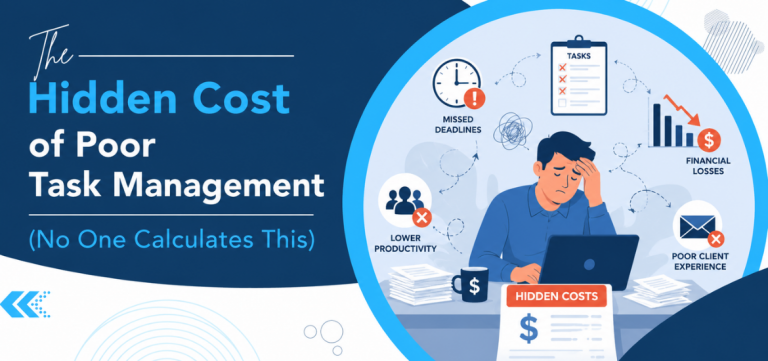
Work-related stress, often stemming from tight deadlines and overwhelming workloads, is a common challenge for many professionals. The American Psychological Association’s Work in America survey found that 77% of workers had experienced work-related stress in the previous month, while the American Institute of Stress estimates that 83% of US workers experience work-related stress overall. Whichever figure you take, the majority of the workforce is affected, and the impact on productivity and job satisfaction is well documented.
To overcome this issue, many organizations are turning to task management software. By streamlining workflows and providing a clear system for managing tasks and deadlines, task management software can significantly reduce stress and boost productivity.
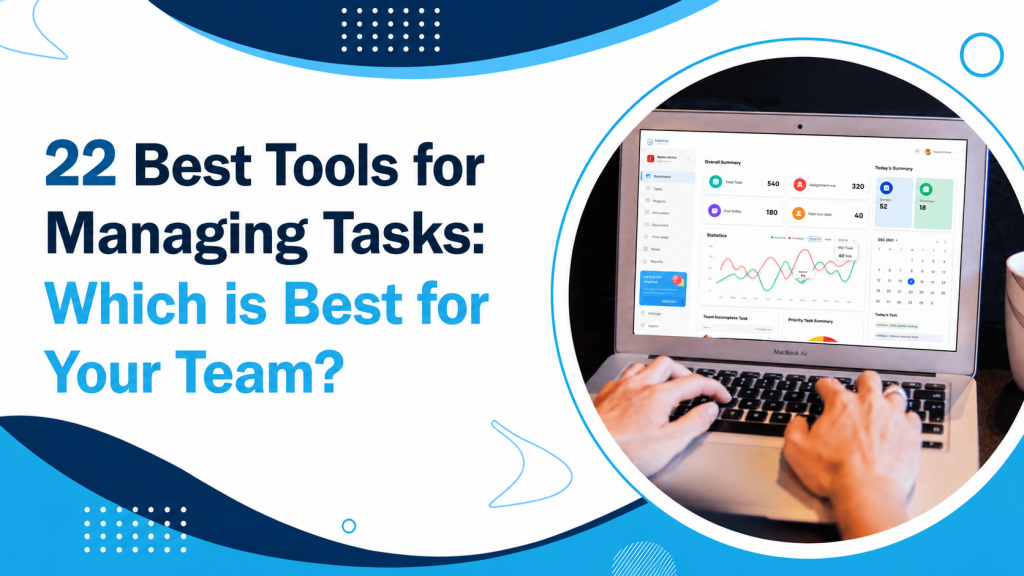
We at TaskOPad have compiled to prepare a detailed guide of the best task management software tools for 2026. These tools are designed to simplify your workflow, boost productivity, and help you work smarter, not harder. If you already know what you need and simply want to see how a dedicated platform handles it, our task management software page covers the full feature set.
Quick comparison: all 22 tools by price, team size and platform
Entry-level paid pricing is per user per month, taken from each vendor’s published rates at the time of writing. Free plans vary considerably in what they actually include — see the free versus paid section below.
| Tool | From (per user/mo) | Free option | Best suited to | Platforms |
| TaskOPad | $2.49 | Free (limited period) | Teams of 5–50, multi-industry | Web, iOS, Android |
| TimeCamp | $2.99 | Free plan | Freelancers, time-based billing | Web, mobile, desktop |
| nTask | $3.00 | 7-day trial | SMBs | Web, mobile |
| Todoist | $4.00 | Free plan | Individuals, small teams | Web, mobile, desktop |
| Zoho Projects | $4.00 | Free plan | Zoho ecosystem users | Web, mobile |
| Hive | $5.00 | Free plan | Mid-size teams | Web, mobile |
| Trello | $5.00 | Free plan | Small teams, Kanban users | Web, mobile, desktop |
| Any.do | $5.00 | Free plan | Individuals, personal + work | Web, mobile |
| Paymo | $5.90 | Free plan | Freelancers, client billing | Web, mobile |
| ClickUp | $7.00 | Free plan | Teams wanting all-in-one | Web, mobile, desktop |
| MeisterTask | $7.00 | Free plan | Kanban-focused teams | Web, mobile |
| Jira | $8.15 | Free plan | IT and agile teams | Web, mobile |
| ZenHub | $8.33 | Free plan | Software teams on GitHub | Web, browser extension |
| Monday.com | $9.00 | Free plan | Marketing and PMO teams | Web, mobile |
| Smartsheet | $9.00 | Free (2 editors) | Spreadsheet-comfortable teams | Web, mobile |
| Tasklog | $9.00 | 7-day trial | Freelancers, solo pros | Web |
| Asana | $10.99 | Free plan | Remote and cross-functional teams | Web, mobile, desktop |
| Wrike | $10.00 | Free plan | Larger teams needing customisation | Web, mobile, desktop |
| Casual | $10.00 | 14-day trial | Small visual-workflow teams | Web |
| HubSpot | $15.00 | Free plan | Sales and marketing teams | Web, mobile |
| Airtable | $20.00 | Free plan | Database-style workflows | Web, mobile |
| ProProfs Project | $49.00 | Free plan | Teams wanting unlimited users | Web |
Verify all prices from the official site before proceeding further.
Three things stand out. First, the price range is wide — from $2.49 to $49 per user per month—and the more expensive tools are not uniformly more capable; they are aimed at different problems. Second, almost every tool offers a free plan, but the limits differ enormously. Third, tool choice tracks team type more closely than it tracks budget: a freelancer billing clients and a fifty-person operations team have genuinely different requirements.
How to choose: buying criteria that actually matter
The feature list above tells you what exists. These five questions tell you which ones you need.
1. How many people will use it?
For under five people, most of the free plans in the table will do. Between five and fifty, you need workload views and proper reporting, which is where the paid tiers start earning their cost. Above fifty, permissions and role controls stop being optional.
2. Is your work project-based or recurring?
Project-based work needs dependencies, Gantt views, and milestones. Recurring operational work needs strong recurring tasks, approvals, and reporting instead. Buying a heavyweight project tool for recurring admin work is the most common mismatch we see.
3. Does anyone need to bill by the hour?
If yes, time tracking must attach to the task rather than living in a separate system. Paymo, TimeCamp, and Tasklog in the list are built around this. If no, time tracking is a feature you will pay for and not use.
4. Is your team at a desk?
For site teams, field staff, or hybrid arrangements, a tool that only works properly on a laptop will be updated late or not at all. Manufacturing, real estate, and service teams should weight mobile access heavily—see our guides on task management for manufacturing businesses for sector-specific considerations.
5. How quickly do you need to be running?
Some tools in this list take an afternoon to set up. Others take weeks of configuration before they deliver value. Be honest about who in your organization will do that configuration and whether they have the time.
Free vs paid: what you actually get
Nearly every tool offers something free, but “free” covers a wide range. Trello, Todoist, ClickUp, Zoho Projects, and Hive have genuinely usable free tiers for small teams. Smartsheet, Airtable, Asana, and Monday.com cap theirs tightly enough that you will hit the ceiling fast. nTask, Tasklog, and Casual offer trials rather than free plans. TaskOPad is fully free for a limited period.
The test is not whether a free plan exists but where it stops—usually at the fifth or sixth user, or the first report someone outside the team needs to read.
For a deeper look, see our guide to the best free task management tools for small teams and freelancers.
Small teams vs larger organisations
Task assignment, tracking, and deadlines matter at any size. Workload views, recurring tasks, and custom reporting become essential between fifteen and fifty people. Dependencies, approval workflows, and role permissions generally only justify their complexity above fifty. Buying for the organization you hope to become usually produces a tool too complicated for the one you have.
Teams needing full scheduling and resourcing as well should look at project management software.
Where TaskOPad fits
TaskOPad suits teams of roughly five to fifty who need to be running in days rather than weeks, whose work is recurring and operational rather than sprint-based, and who value mobile access and workload visibility. It combines task and project management with built-in chat, WhatsApp integration, time reporting, and bulk task upload and is used across IT, accountancy, law, real estate, and manufacturing.
Where something else fits better: Jira or ZenHub for software sprints, Wrike or Smartsheet for enterprise portfolio work, Paymo or TimeCamp if hourly billing is central, and Trello or Todoist for a team of three who genuinely need less.
Utilize the Best Task Management App in 2026
When choosing the right tool, prioritize the features most essential to your workflow. While basic functionalities like reminders, automation, and various task views are commonly available, consider the overall value offered for the price. The best tools should simplify, not complicate, your work, so prioritize ease of implementation and user experience.
Use the comparison table at the top to shortlist two or three, then trial them with a real project rather than a test one. A tool that looks comprehensive in a demo and takes thirty seconds to add a task will lose to a simpler one your team keeps up to date.
If you’re still unsure, we recommend trying TaskOPad. It offers a comprehensive suite of features to simplify task management, including goal setting, task tracking and assignment, time management, automation, and team communication. TaskOPad provides a robust toolkit for effective task management. Start your free trial.