Large projects rarely move from start to finish in one simple step. They usually involve several stages, multiple people, different departments, and a series of smaller activities that need to happen in the right order.
This is where sub-tasks become useful.
Instead of assigning one broad task such as “Launch a new website,” teams can break it down into smaller, actionable activities. Each sub-task can then have its own owner, deadline, priority, and status.
A well-structured sub-task system makes complex projects easier to understand and manage. Teams can see what needs to be done, who is responsible, what has been completed, and what is still waiting to move forward.
What Are Sub-Tasks?
Sub-tasks are smaller activities created under a larger parent task. They help divide complex work into manageable pieces without losing sight of the overall objective.
For example, a project such as “Organize a corporate event” may include:
- Finalize venue
- Prepare guest list
- Design invitations
- Confirm vendors
- Arrange catering
- Plan event logistics
The main task represents the overall outcome, while the sub-tasks represent the individual steps required to achieve it. This structure gives teams a clearer view of how individual activities contribute to the larger project.
Why Sub-Tasks Matter in Multi-Stage Projects
Without sub-tasks, large projects can become difficult to track. A single task may remain marked as “In Progress” for weeks, even though some parts are complete and others have not started.
Breaking work down helps teams:
- Understand project progress more clearly.
- Assign responsibility to the right people.
- Identify pending work quickly.
- Track dependencies between activities.
- Reduce missed deadlines.
- Make large projects easier to manage.
It also gives managers better visibility without requiring them to constantly ask team members for updates.
Start With the Final Project Goal
Before creating sub-tasks, define what the project needs to achieve.
For example: “Launch the company’s new website by 30 September.” Once the final goal is clear, work backwards and identify the major stages required to reach it.
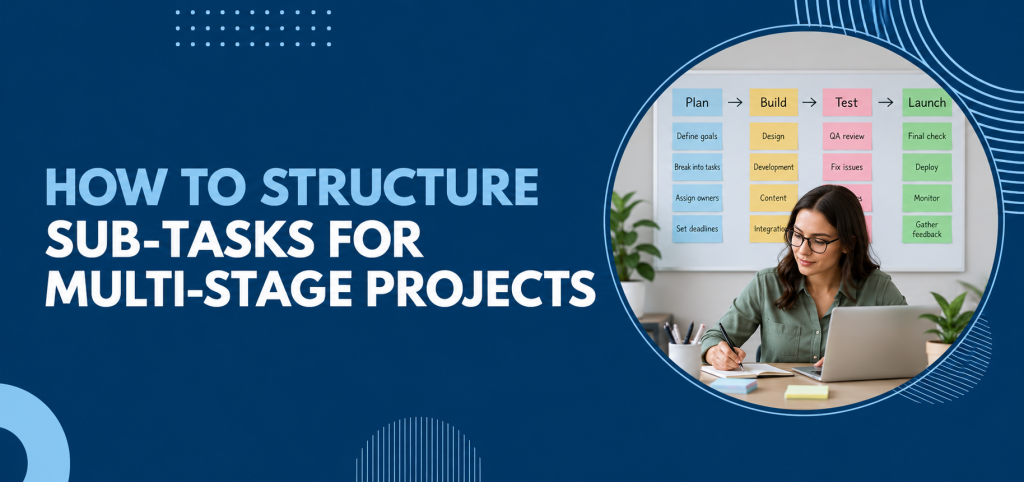
A website project might include:
| Project Stage | Main Objective |
| Planning | Define requirements and scope. |
| Content | Prepare website copy and assets |
| Design | Create page layouts and visual elements. |
| Development | Build and configure the website |
| Testing | Identify and resolve issues |
| Launch | Publish the completed website |
This prevents teams from creating random sub-tasks without understanding how they fit into the overall project.
Break Each Stage Into Actionable Sub-Tasks
Once the major stages are identified, divide each one into specific activities.
For example, the “Content” stage could include:
- Prepare homepage copy
- Write service page content
- Review product descriptions
- Collect team photographs
- Complete SEO checks
- Obtain final approval
Each subtask should represent a clear piece of work rather than a vague responsibility.
Instead of “Website content,”
Use: “Review and approve homepage copy.”
The second version tells the assigned person exactly what needs to happen.
Keep Each Sub-Task Focused
A common mistake is making subtasks too broad.
Consider: “Prepare marketing campaign.” This could involve research, copywriting, design, approval, scheduling, and reporting.
Instead, separate the activities:
- Research campaign audience
- Prepare campaign copy
- Create visual assets
- Review campaign content
- Schedule campaign
- Track campaign performance
Focused sub-tasks make it easier to identify what has actually been completed.
Assign One Clear Owner
Every subtask should have a person responsible for moving it towards completion.
This does not mean that only one person can work on it. Other team members can contribute, review, or provide information. However, there should be one clear owner. Effective task delegation makes it easier to assign responsibility clearly while allowing other team members to contribute.
For example:
| Subtask | Owner | Support |
| Prepare campaign copy. | Marketing | Sales |
| Create campaign design. | Design | Marketing |
| Approve final content. | Marketing Manager | Legal |
| Schedule campaign | Marketing Executive | — |
Clear ownership prevents the common situation where everyone assumes somebody else is handling the work.
Set Dependencies Between Sub-Tasks
Multi-stage projects often contain dependencies.
One activity may need to be completed before another can begin.
For example: Content approval → Design → Development → Testing → Launch
If content has not been approved, the design team may not have the final information required to complete its work.
Making these dependencies visible helps teams understand what is blocking progress and which tasks should be prioritized next.
Give Every Sub-Task a Realistic Deadline
Deadlines should reflect the actual effort required to complete the work. Avoid giving every subtask the same deadline simply because they belong to the same project.
For example:
| Subtask | Deadline |
| Gather requirements. | 5 September |
| Prepare content. | 10 September |
| Complete design | 16 September |
| Development | 23 September |
| Testing | 27 September |
| Final launch | 30 September |
This creates a sequence that teams can follow rather than one large deadline that hides the individual stages.
Use Priority to Highlight What Matters Most
Not every sub-task has the same urgency. Some activities may be essential for the next stage to begin, while others can be completed later.
Teams can use priority levels such as
| Priority | Use When |
| High | Blocks other work or affects a critical deadline |
| Medium | Important but does not immediately block progress |
| Low | Useful but can be completed after higher-priority work |
This helps employees focus their attention instead of treating every task as equally urgent.
Avoid Creating Too Many Sub-Tasks
Breaking down a project is useful, but there is a point where too much detail becomes counterproductive. If every tiny action becomes a separate sub-task, the project board can become difficult to manage.
A good subtask should answer:
Does this represent a meaningful piece of work that needs ownership or tracking?
If the answer is no, it may not need to become a separate sub-task.
For example, “Open the document” does not usually need its own task. ” Review and approve the final proposal”.
Track Progress at Both Levels
Managers need to understand both the individual activities and the overall project. A parent task provides the bigger picture, while sub-tasks show the details.
For example:
Project: New Product Launch—60% complete
Sub-tasks:
- Market research—Completed
- Product photography—Completed
- Website content—Completed
- Product page development—In Progress
- Sales training—To Do
- Launch campaign—To Do
This makes project progress easier to understand at a glance.
Review Sub-Tasks During the Project
Sub-tasks should not be created once and then forgotten.
Project requirements can change. Deadlines can move. New dependencies can appear.
Regular reviews help managers identify:
- Delayed sub-tasks
- Blocked activities
- Workload issues
- Changing priorities
- Tasks that are no longer required
This keeps the project structure aligned with what the team actually needs to deliver.
How Task Management Software Helps
Managing multi-stage projects through spreadsheets, emails, and separate chat conversations can make sub-task tracking difficult. A structured task management system gives teams one place to assign work, monitor progress, communicate updates, and manage deadlines.
Features such as project management and workflow management can help teams connect individual tasks with broader project stages. Workflow management can also help teams organize sub-tasks around broader project stages and keep work moving in the correct sequence.
TaskOPad brings these capabilities into one central workspace, allowing teams to organize sub-tasks, assign responsibilities, track progress, manage dependencies, and maintain visibility across multi-stage projects.
Instead of repeatedly asking team members for updates, managers can check the current status and identify where attention is needed.
A Simple Framework for Structuring Sub-Tasks
A practical framework can make subtask planning easier:
1. Define the outcome.
What does the project need to achieve?
2. Identify the stages
What major phases are required?
3. Break stages into activities.
What specific work needs to happen in each phase?
4. Assign ownership.
Who is responsible for each subtask?
5. Add dependencies
Which activities need to happen before others?
6. Set deadlines
When does each activity need to be completed?
7. Track and review
Is the project moving according to plan?
This approach gives teams a repeatable structure they can apply to different types of projects.
Common Mistakes to Avoid
Even a well-planned project can become difficult to manage if sub-tasks are not structured properly.
Avoid:
- Creating vague subtasks.
- Assigning one task to too many owners.
- Ignoring dependencies.
- Giving every activity the same priority.
- Creating unnecessary micro-tasks.
- Failing to update task status.
- Keeping important project information outside the main task system.
The goal is not to create more tasks. It is to create better visibility around the work that actually matters.
Final Thoughts
Multi-stage projects become easier to manage when complex objectives are divided into clear, actionable sub-tasks.
The key is finding the right level of detail. Start with the final project goal, identify the major stages, break each stage into meaningful activities, and give every sub-task a clear owner and deadline.
When dependencies, priorities, and progress are visible, teams can work with greater clarity and managers can identify problems before they affect the final deadline.
Whether you’re managing a website launch, client project, event, product rollout, or internal initiative, a structured sub-task system can turn a complicated project into a series of manageable steps.
Frequently Asked Questions
What is a subtask in project management?
A subtask is a smaller piece of work that sits under a larger parent task. It helps teams divide complex projects into manageable and trackable activities.
How many sub-tasks should a project have?
There is no fixed number. Create enough sub-tasks to represent meaningful pieces of work without breaking every small action into a separate task.
Should every subtask have an owner?
Yes. Giving each sub-task a clear owner improves accountability and makes it easier to understand who is responsible for moving the work forward.
Why are dependencies important in multi-stage projects?
Dependencies show which activities need to be completed before another task can begin. This helps teams identify blockers and maintain the correct sequence of work.
How can task management software help with sub-tasks?
Task management software can help teams assign sub-tasks, set deadlines, track progress, manage dependencies, and maintain visibility across the entire project.