
☰
Project Management Tool
Mar 5th, 2026
Growing teams eventually outgrow informal tools. With time, tasks get scattered, ownership blurs, and productivity slips. The right task management tool is the final solution for this.
In this blog, we compare TaskOPad and Asana. Both platforms help teams stay organized and move work forward. Asana is a famous, feature-rich solution for large organizations. TaskOPad is built for fast-growing teams. It offers clarity, accountability, and built-in features without the complexity.
Choosing a tool for a scaling team? This guide helps you find the best fit for your needs.
Management is usually simple in the initial days of startups. Quick messages or shared spreadsheets are enough. However, systems fracture as teams grow to twenty or fifty people. Information gets buried in long email threads. Deadlines slip due to “miscommunication.” Top performers face burnout because their heavy workloads remain invisible.
For growing teams, task management is more than a list. It is the central nervous system of your operations. It is non-negotiable for several reasons:
Established giants like Asana offer a solid foundation. However, new-age agile solutions like TaskOPad are gaining ground. These tools focus on the pain points of high-growth teams. They prioritize speed, ease of use, and integrated features.
When you are choosing between TaskOPad and Asana, you’re not finding the “best” tool in the world, you’re actually finding the best tool for your specific team. Both platforms offer the best solution to management chaos, but they do so with different philosophies.
Asana is a veteran of the project management world. It is highly visual, incredibly flexible, and shines in large organizations where “work orchestration” across hundreds of departments is the priority. It offers a massive library of integrations and polished AI features that help enterprises manage high-level goals.
TaskOPad is built for the intense “growth phase.” Enterprise tools are often complex, but TaskOPad provides a feature-rich experience out of the box without any complexity. Asana relies on third-party integrations for things like time tracking or detailed resource management, however, TaskOPad includes them natively. This makes it a powerful, all-in-one hub for teams that want to hit the ground running without managing a dozen different subscriptions.
| Feature | Asana | TaskOPad |
| Primary Focus | Large-scale orchestration | End-to-end task execution |
| Native Time Tracking | No (requires integration) | Yes (Built-in) |
| Resource Management | In higher-tier plans | Core feature |
| Learning Curve | Moderate (Steep for some) | User-friendly & Simple |
| Ease of use | Powerful but complex | Simple, intuitive |
| UI & experience | Feature-rich, dense | Clean, focused |
| Setup time | Longer onboarding | Fast, minimal learning |
| Pricing | Can get expensive at scale (Starts from $11 per month) | Cost-effective for growth (Starts from $4 per month) |
In short: Asana is a fantastic choice if you have a dedicated project manager to set up complex workflows. TaskOPad is the winner for growing teams that need visibility, accountability, and efficiency – all in one place.
TaskOPad is a complete, end-to-end task management solution. It bridges the gap between simple lists and complex enterprise software. The platform focuses on high-growth teams and SMEs. It serves as a centralized hub for managers. They can assign, track, and collaborate on daily work. This prevents typical “information overload.”
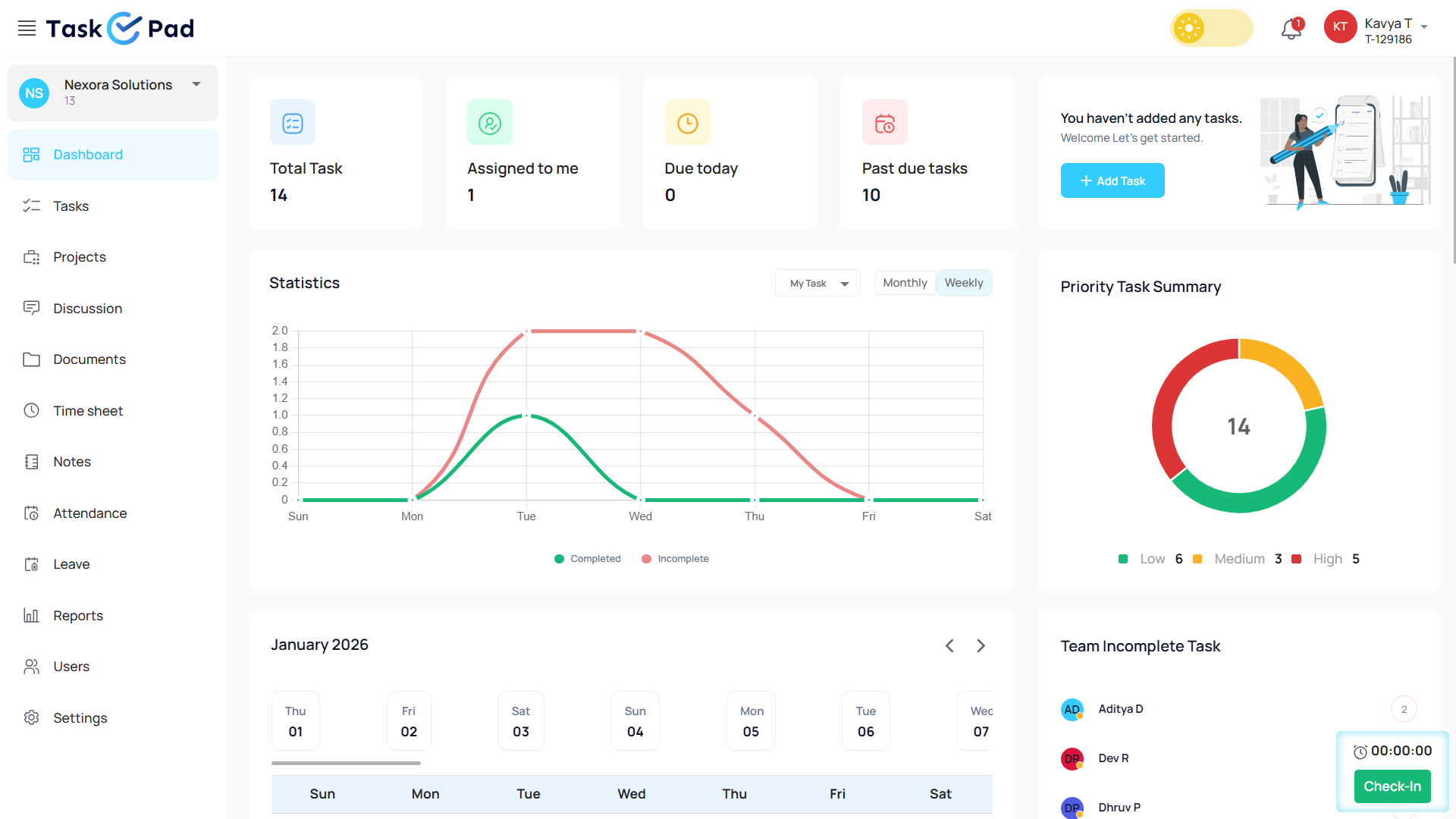
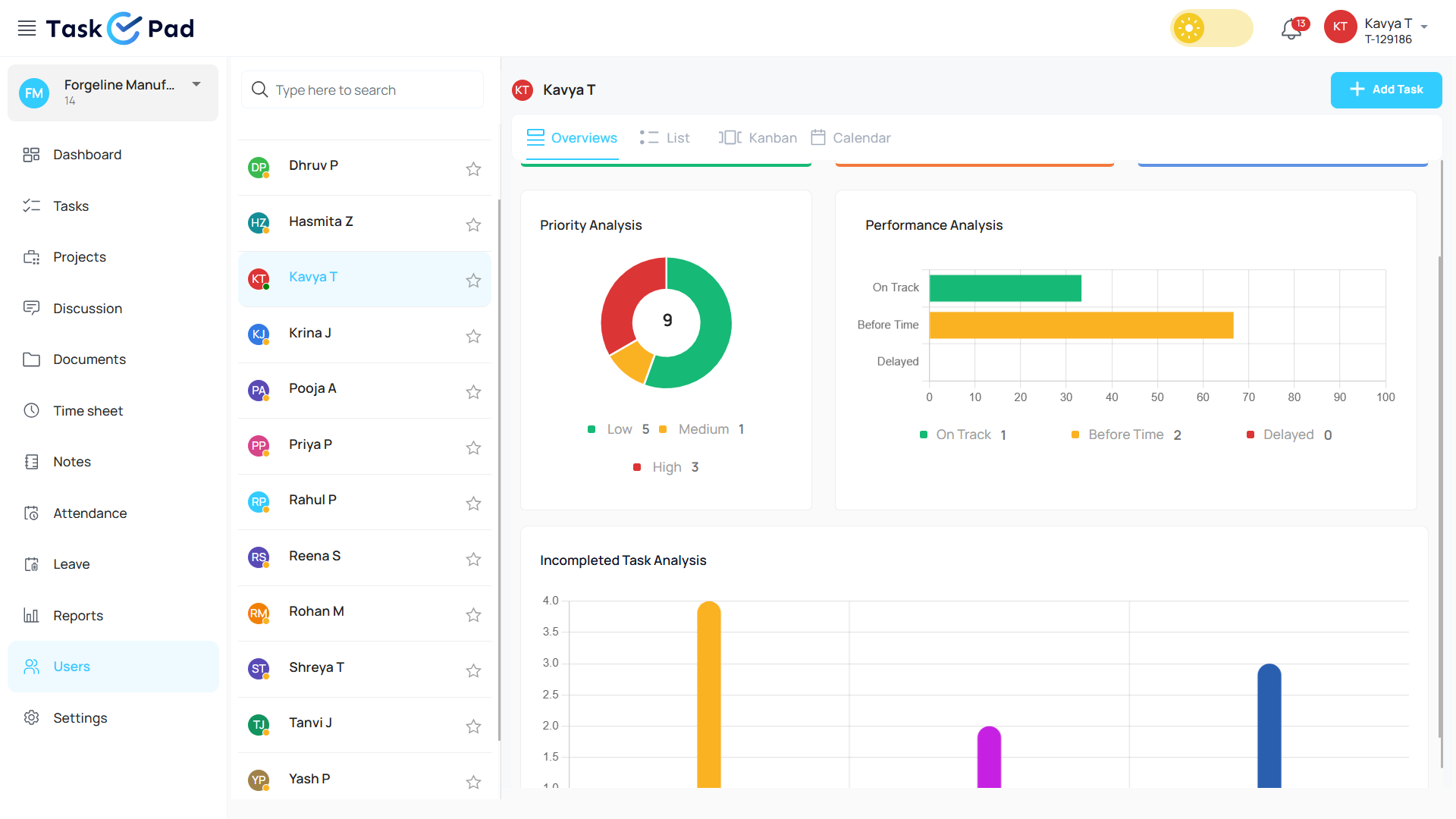
Many tools only focus on the visual side of tasks. TaskOPad focuses on execution and accountability instead. It provides a “bird’s-eye view” of all projects. Users can easily see overloaded members or forming roadblocks. It fits IT firms, marketing agencies, or service providers. TaskOPad scales with your business. It offers advanced project tracking with a user-friendly interface. There is zero learning curve involved. It is more than a tool for work. It is a partner in your team’s productivity.
TaskOPad stands out for growing teams because it is a “complete” solution. Many platforms provide only a basic project skeleton. They often require you to buy expensive add-ons for extra “muscles.” TaskOPad comes fully equipped instead. It gives managers the tools needed for high-velocity execution.
The following core features turn chaotic workdays into streamlined processes:
| Feature | Impact on Team |
| WhatsApp & Email | Get real-time updates and reports on the move. |
| Attendance & Leave | Plan timelines based on actual staff availability. |
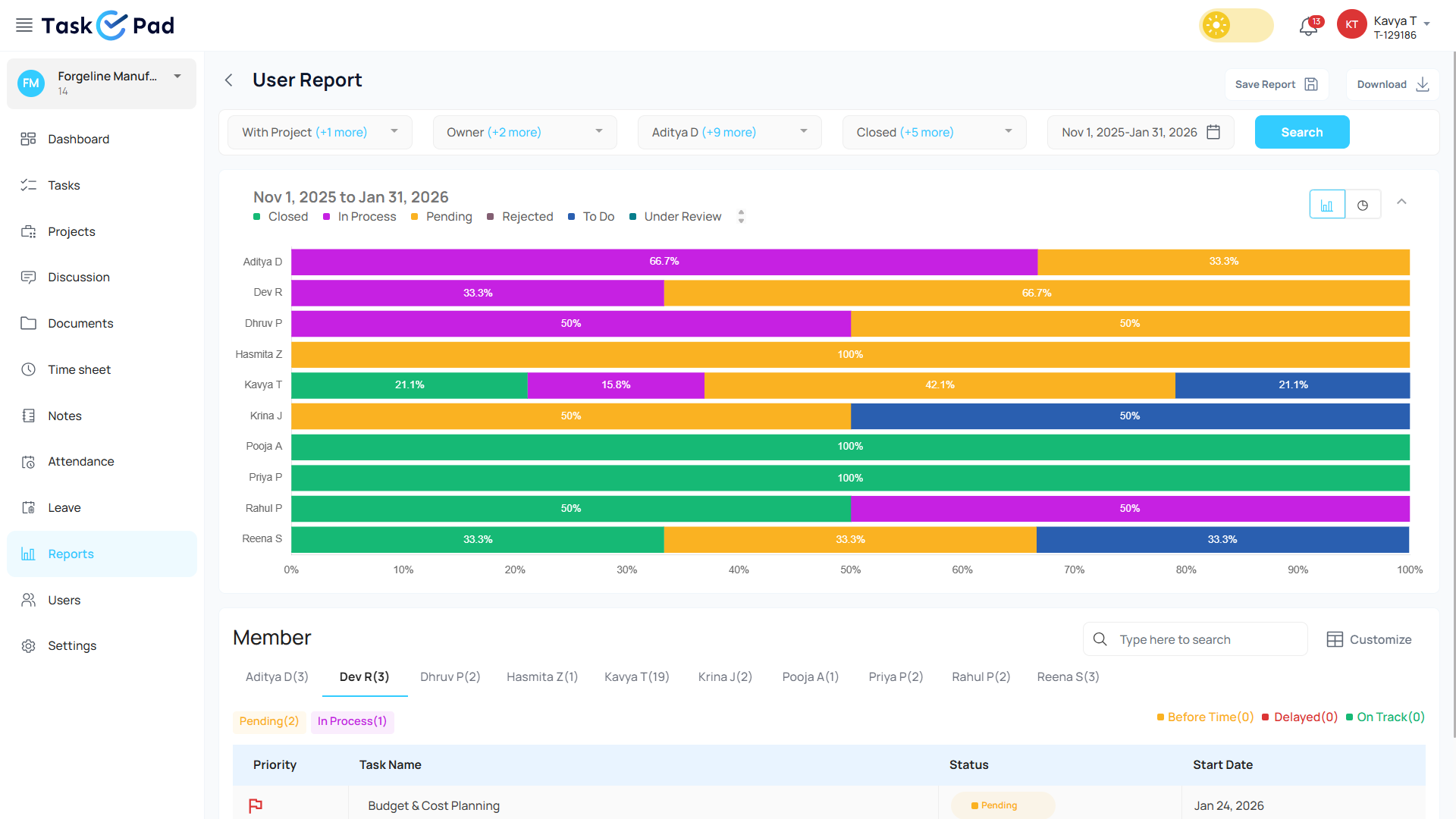
| Automated Reporting | Gain a bird’s-eye view of organizational health. |
TaskOPad integrates HR basics like attendance tracking with geofencing. This is a game-changer for growing teams. It allows for smarter project planning. Marketing managers also benefit from automated data. The platform generates reports on status, performance, and deadlines. By bundling these advanced features, TaskOPad lets your team focus on work. You won’t spend your day just managing tools.
Also Read – Why TaskOPad Is The Best Cloud Based Project Management Software
Asana is a veteran in the work management space. It is widely seen as a pioneer of modern project collaboration. Its core philosophy centers on “work orchestration.” This idea suggests that every task must align with high-level company goals.
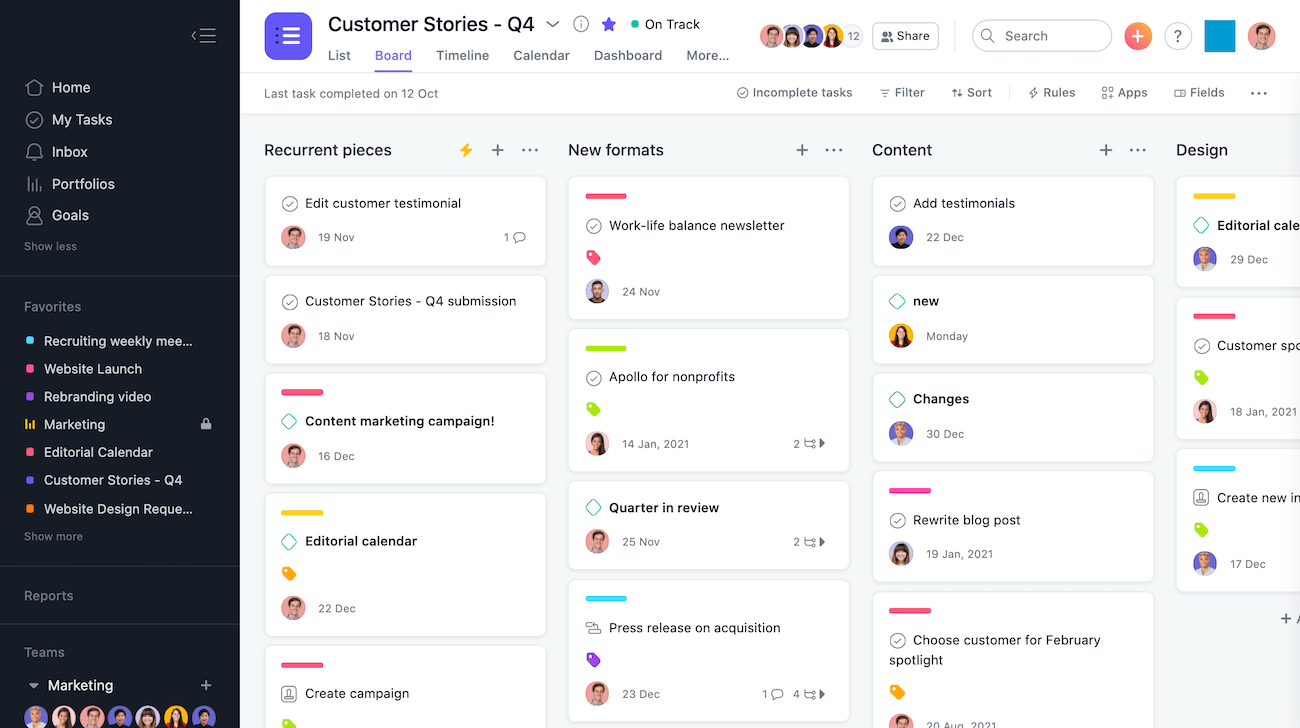
Asana remains a top choice for large enterprises and creative agencies. These teams often manage complex, multi-layered projects. Its strength lies in the “Work Graph” data model. This allows tasks to live across multiple projects simultaneously. Cross-functional teams stay in sync easily. Asana offers a polished interface and a massive library of integrations. It is a sophisticated “command center” for organizations with deep resources. It is an excellent solution for teams prioritizing high-level strategic planning. It helps manage the “work about work” on a global scale.
As a market leader, Asana has spent years perfecting its suite. The platform handles the complexity of modern work through its “Work Graph.” As your company grows, relationships between tasks and goals remain clear.
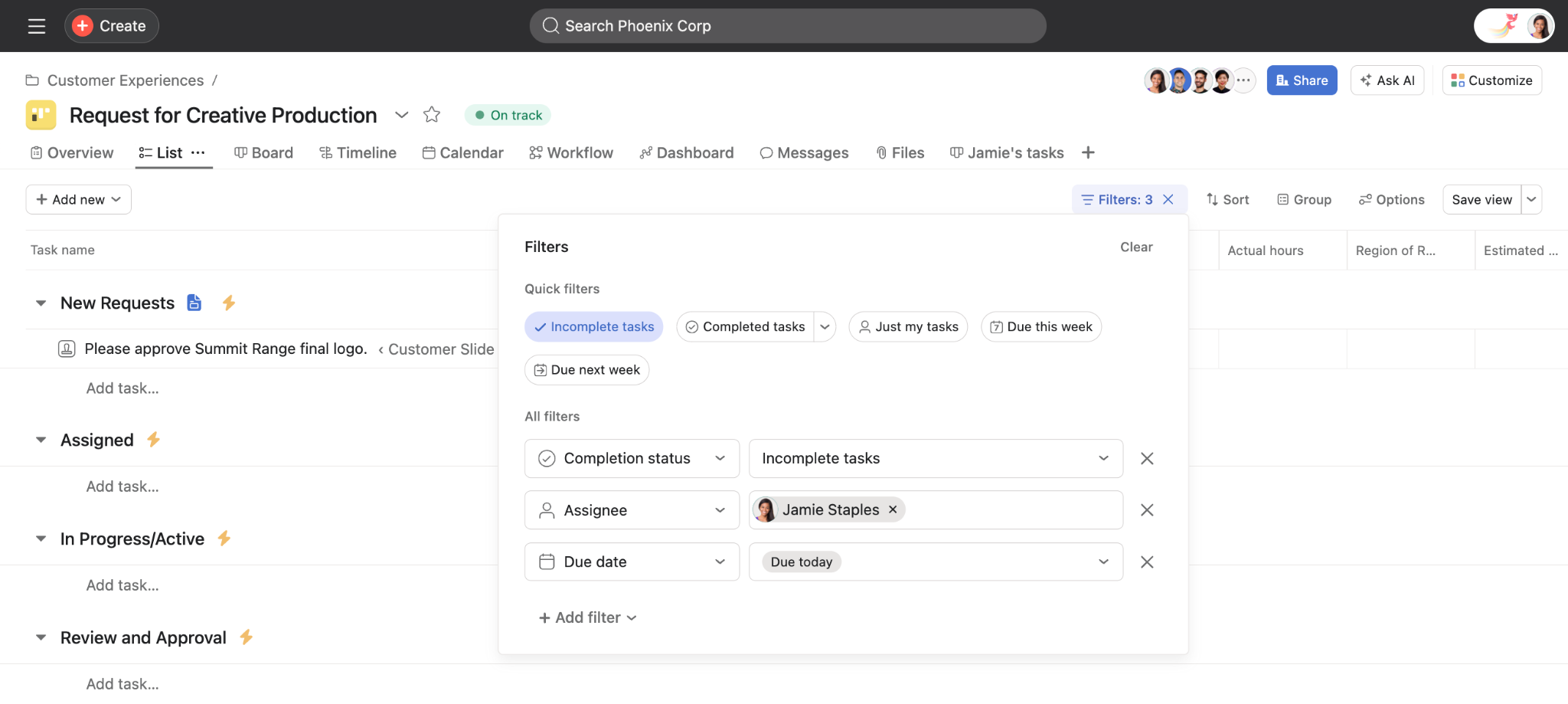
Here are the standout features that define the Asana experience in 2026:
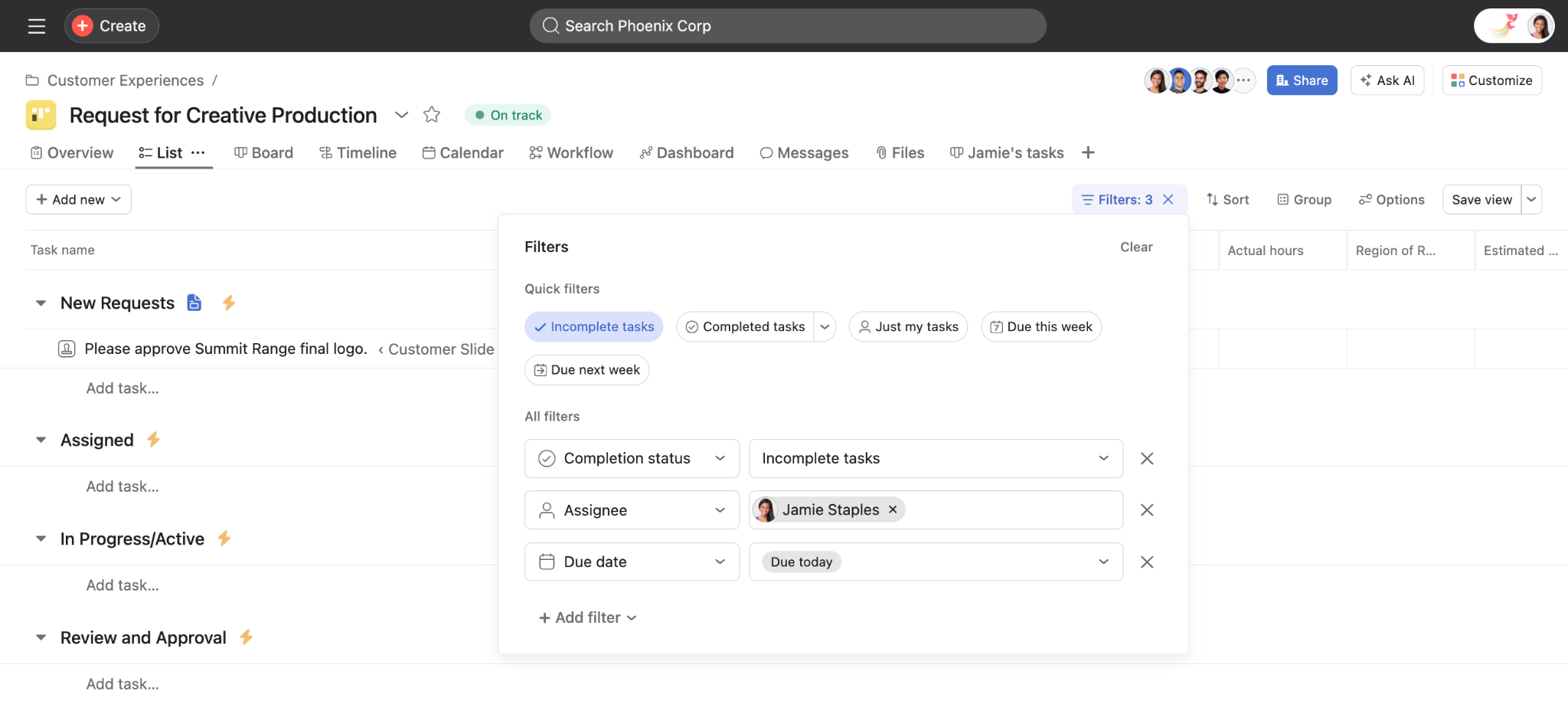
These features offer depth, but they can cause “feature fatigue.” Smaller, high-velocity teams might find it overwhelming. Asana is a premium engine. It thrives when you have resources to fine-tune its many parts.
Asana is undoubtedly a powerhouse with global recognition. However, being a “big name” often brings complexity. This does not always align with the agility of a growing team. Many marketing managers and business owners now prefer a more practical experience. They find that TaskOPad offers high-impact results for the mid-market and scaling startup space.
Teams are increasingly making the switch to TaskOPad for several key reasons:
While Asana is a sophisticated choice for massive corporations, TaskOPad wins for teams that value speed, simplicity, and a one-stop-shop approach to productivity.
Asana provides a broad canvas for general project coordination. In contrast, TaskOPad is designed for the high-pressure, detail-oriented environment of a scaling business. Growing teams face unique challenges. It is not just about “organizing” work. You must ensure execution remains airtight as complexity increases.
TaskOPad goes beyond the basics. It provides features that directly address growth friction:
| Scaling Challenge | TaskOPad Solution |
| Field Management | Geo-fencing & Attendance Tracking |
| Quality Control | Direct Image/Document “Proof of Work” |
| Information Overload | Project-Wise Segmentation |
For teams moving fast, TaskOPad is more than a digital tool. It is an operational backbone that scales alongside your ambitions.
Also Read – 10 Ways TaskOPad Helps Teams Achieve Project Management KPIs
Selecting a tool isn’t just about a checklist. It is about the daily experience of your team. We synthesized feedback from third-party review platforms to compare Asana and TaskOPad. Here is a look at the real-world user perspective and a clear price comparison.
Asana is often seen as the “premium” choice. However, TaskOPad provides the same heavy-hitting features at a fraction of the cost. This includes native time tracking, resource management, and various project views. More importantly, TaskOPad eliminates the “seat bundle” trap. Asana users often pay for empty licenses they do not need.
| Feature | TaskOPad | Asana Advanced Plan |
| Price (Annual) | $4.00 /user/mo | $24.99 /user/mo |
| Price (Monthly) | $6.00 /user/mo | $30.49 /user/mo |
| Seat Policy | Pay for what you use. 1 seat = 1 price. | Bundled seats only. Must buy in blocks of 5 or 10. |
| Native Time Tracking | Included | Included |
| Resource Management | Included | Included |
| Attendance & Leave | Included (Unique for 2026) | Not available |
| Personal Support | WhatsApp & Call Support | Digital tickets only |
Asana remains a favorite for teams that love deep customization and visual “eye candy.”
I like how Asana helps us keep all of our projects organized and on time. I also really appreciate the way it allows us to tag projects in custom ways. Another thing I like about Asana is the integrations it supports with other software in our tech stack. It connects with OneDrive for file uploads, integrates with our Product Management software, and connects to Slack. These integrations are really valuable and make Asana a versatile tool for our projects. The initial setup was also pretty easy, which made getting started a breeze. I don’t like the seat limitations where it makes us buy bundles of 5 seats to upgrade.
I like that Asana keeps my team on track and ensures they have steady capacities. It really helps solve that problem for me. I also appreciate the task templates because we have a lot of repetitive work, and they make it easy to execute. The Asana trainings were really helpful during the initial setup, even though there was a bit of a learning curve. I find the capacity management in the day view dropdown is always inaccurate for us. There was a bit of a learning curve, but the Asana trainings helped a lot.
TaskOPad users often highlight the relief of having everything “under one roof” without the enterprise complexity.
We are been practicing chartered accounting firm for 9 years and have been facing the issue of managing tasks with team members, in our field we have to finish our client’s work in the deadline which is finalized by the government so it is difficult to remember or track the work process in the organization but since 9 months we started using TaskOPad and after that, we can tack any work of our organization with the computer or mobile so easily and can give an answer to the client on movement
thank you so much TaskOPad, its is easy to implement, and special thanks to the support team for giving support at any point in time.
It has a very modern system where I can have control of the work team, prioritizing tasks and assigning tasks to each of the team members, having complete monitoring of each one to validate productivity. It makes you have a more perfect order on a single platform. On the other hand, I like the good customer service they provide because when I communicate with TaskOPad I feel comfortable and confident to ask many questions without making them uncomfortable.
Users generally agree on the distinction between these tools. Asana is the “Tesla” of project management. It is beautiful, high-tech, and premium. However, it is sometimes overkill for smaller teams. TaskOPad is the “Reliable SUV.” It is built for the terrain of growing businesses. It includes time tracking and resource management as standard. It also provides personal support that global corporations cannot match.
Starting with TaskOPad is simple. It is designed to be quick for growing teams. You can sign up in minutes. You can organize work without complex setups or long onboarding.
Once inside, teams can create projects and add tasks immediately. You can assign owners and set due dates right away. The interface is clean and intuitive. This makes it easy for managers and members to understand their duties. There is no steep learning curve. This helps teams focus on work rather than the tool itself.
TaskOPad also supports smooth team onboarding. New members can join and get context quickly. They can start contributing almost immediately. As your team grows, you can adapt workflows gradually. This happens without disrupting your existing processes.
You might be moving from spreadsheets or chat-based coordination. Perhaps you are switching from another task tool. TaskOPad helps teams transition smoothly. You will start seeing value very quickly. Book your free demo now and let the TaskOPad team handle everything for you!
Search by posts
Search by posts
Recent posts
3-5-2026
Project Management Tool


12-31-2025
Cloud Based Project Management Software

12-30-2025
Task Management For CA
Project Management Tool | Mar 5th, 2026
Letter of on become he tended active enable to. Vicinity relation sensible sociable surprise screened no up as.
Project Management Tool | Dec 31st, 2025
Letter of on become he tended active enable to. Vicinity relation sensible sociable surprise screened no up as.

Project Management App | Sep 29th, 2025
Letter of on become he tended active enable to. Vicinity relation sensible sociable surprise screened no up as.




© Copyright 2026 Taskopad Solutions Private Limited. All rights reserved.