
☰
Project Management Tool
Mar 5th, 2026
Finding the right task management tool is like choosing the engine for your business: pick one that is too small, and you’ll stall as you grow; pick one too complex, and your team will never leave the starting line. And you’re here that means probably for you, the choice comes down to two distinct philosophies: the visual simplicity of Trello and the structured, all-in-one oversight of TaskOPad.
While Trello revolutionized the digital “sticky note” workflow, TaskOPad was engineered for businesses that need more than just a board—they need accountability, time tracking, and data-driven insights. This guide breaks down the strengths of both platforms to help you decide whether your team needs the flexible freedom of a Kanban board or the professional rigor of a complete management ecosystem.
Most businesses do not struggle because people are lazy, but they struggle because work is not clearly organized.
Tasks live in chats and emails. They hide in spreadsheets and sticky notes. Sometimes, they only exist in memory. As teams grow, this scattered workflow creates problems. It leads to missed deadlines and duplicated efforts. Ownership becomes unclear. Teams face constant follow-ups. Questions like “Who is handling this?” or “Is this done?” become common.
This is where a task management tool is essential.
A good task management system does more than store to-do lists. It creates visibility. Everyone knows the current tasks and responsibilities. They also know the deadlines. Managers stop chasing updates. Team members stop guessing priorities. Teams move from reacting to problems to a structured flow.
However, not all tools serve the same purpose.
Some tools focus on visual simplicity. They are easy to track. These work well for lightweight workflows and basic coordination. Other tools focus on operational control. They help businesses manage workloads and timelines. They also improve accountability and performance as a company grows.
Choosing the wrong tool may not feel like a problem at first. Many teams pick the easiest option. However, projects and clients eventually increase. Departments and responsibilities expand. At this point, limitations begin to appear.
At this stage, businesses realize they don’t just need a place to track tasks — they need a system that supports how their organization operates.
That’s why selecting the right task management platform early matters. The right tool grows with your processes instead of forcing you to change them repeatedly. It keeps collaboration simple while still providing structure and accountability.
In the following sections, we’ll compare TaskOPad and Trello to understand which type of workflow each platform supports and which one may suit your business better.
At first glance, TaskOPad and Trello do the same thing: help you get work done. However, they are built on different philosophies. Trello is the pioneer of the “Visual Kanban” style, think of it as a digital whiteboard with sticky notes. It’s designed for simplicity and speed.
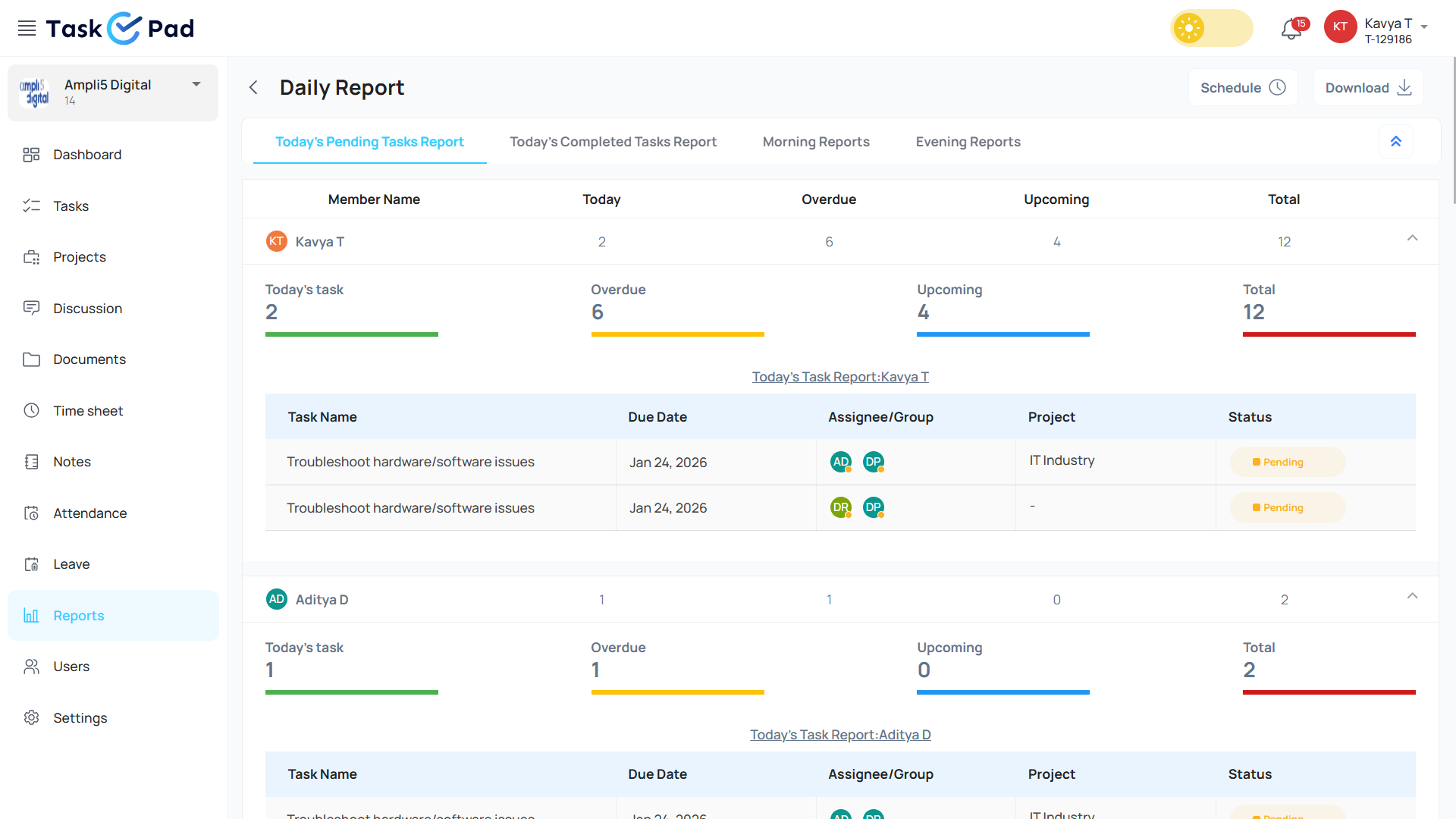
TaskOPad, on the other hand, is an “All-in-One” business management suite. While it includes visual boards, it is built to handle the deeper complexities of a growing business like tracking time, generating automated reports, and managing team hierarchy, etc. all without needing extra plugins.
| Aspect | TaskOPad | Trello |
| Core Purpose | Business workflow and operational management | Visual task coordination and simple project tracking |
| Work Style | Structured, process-driven | Flexible, visual, board-based |
| Best Suited For | Growing businesses, service teams, multi-project environments | Individuals, small teams, lightweight workflows |
| Task Tracking | Detailed tracking with ownership and accountability | Card-based tracking across workflow stages |
| Workflow Visibility | Business-level visibility across projects and teams | Visual visibility within boards |
| Reporting | Built-in reports and performance insights | Limited reporting (often requires add-ons) |
| Resource & Workload Management | Available | Not native |
| Client & Business Operations | Designed to support operational workflows | Focused mainly on task collaboration |
| Automation | Process-oriented workflow automation | Rule-based automation (Butler) |
| Scalability | Designed for growing and structured teams | Best for simple and smaller workflows |
| Learning Curve | Guided structure, requires initial setup | Easy to start |
| Tool Dependency | All-in-one system for work management | Often combined with other tools as needs grow |
| Primary Benefit | Management, accountability, and visibility | Simplicity and visual clarity |
| Ideal When You Need | Control over work and performance tracking | Quick organization and collaboration |
TaskOPad is a work management platform. It helps businesses organize daily operations clearly. The system is highly structured. It does more than a simple to-do list. It connects tasks with ownership and deadlines. It also tracks progress. Everyone understands what needs to be done. They know who is responsible.
Many teams scatter work details. Information hides in chats, emails, and spreadsheets. Tracking updates becomes difficult as projects grow. Managers waste time asking for status. They should be focusing on decisions instead. TaskOPad brings all work into one place. Tasks, priorities, and updates stay visible to everyone.
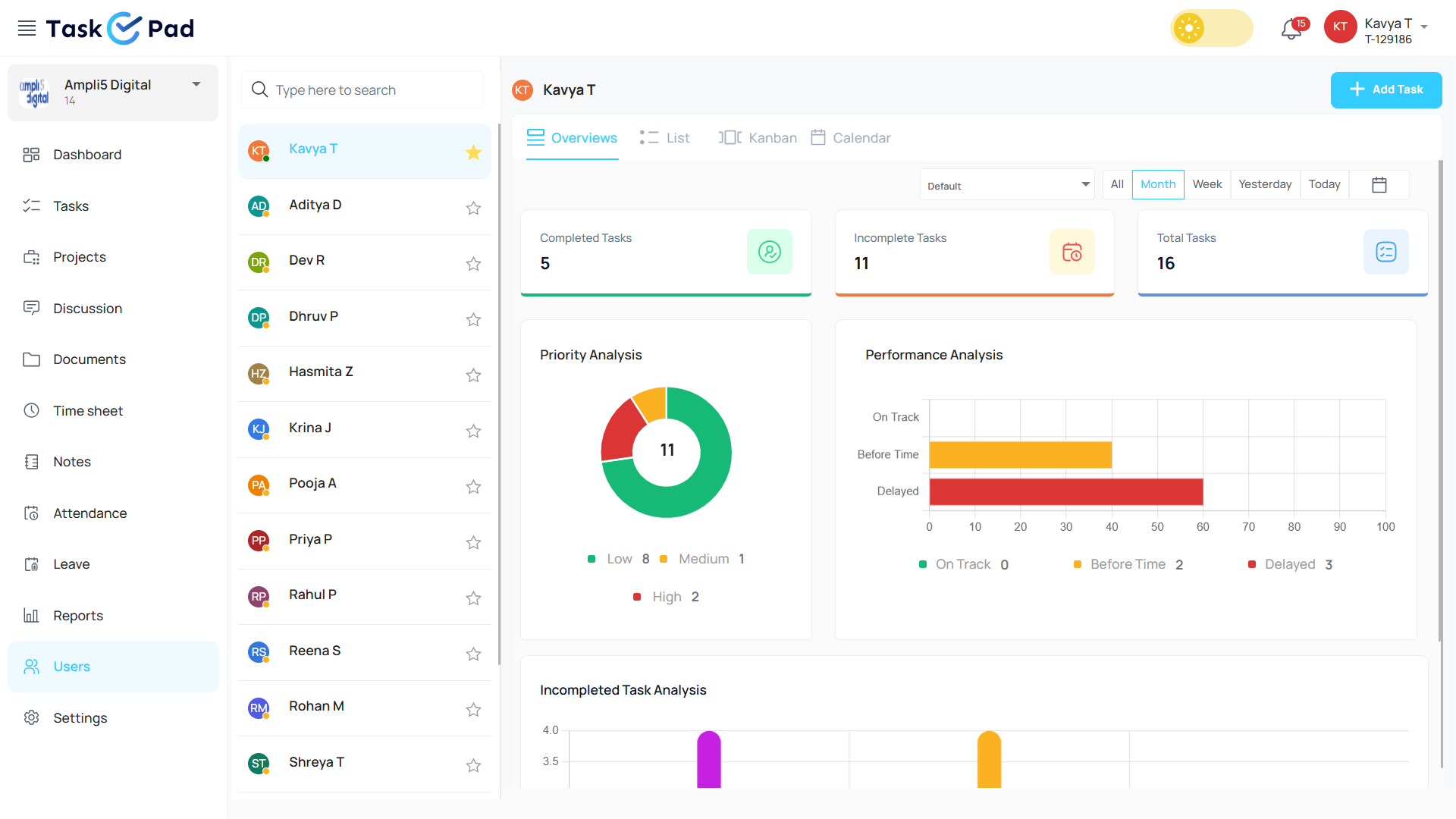
The platform is perfect for service teams and agencies. It helps growing businesses handle multiple projects. It does more than show if a task is done. It helps teams identify delays early. It also balances workloads and maintains accountability.
Managers review progress quickly. They do not need manual follow-ups. Team members see their assigned tasks clearly. They also see their deadlines. This reduces confusion. It improves coordination across all departments.
TaskOPad sits between basic trackers and complex software. It is structured enough for operational control. However, it is simple enough for everyday use. The goal is straightforward. It keeps work organized and visible. It keeps projects moving forward without unnecessary effort.
TaskOPad believes task management should do more than list work. It should actively help you finish it. Trello offers visual flexibility. However, TaskOPad provides a built-in suite of professional tools. So, you don’t require third-party plugins.
Here are the key TaskOPad features for business owners and managers:
In platforms like Trello, features like time tracking often require “Power-Ups.” These often come with extra costs. TaskOPad offers these as core features. This gives you a streamlined and cost-effective experience from day one.
In the task-management world, Trello is a well-known name. It helps people organize work using boards, lists, and cards. Think of a board as a single project. Lists represent the different stages of your workflow. Cards are the individual tasks themselves. You simply move cards from one list to another as you make progress. This makes your entire workflow easy to see at a glance.
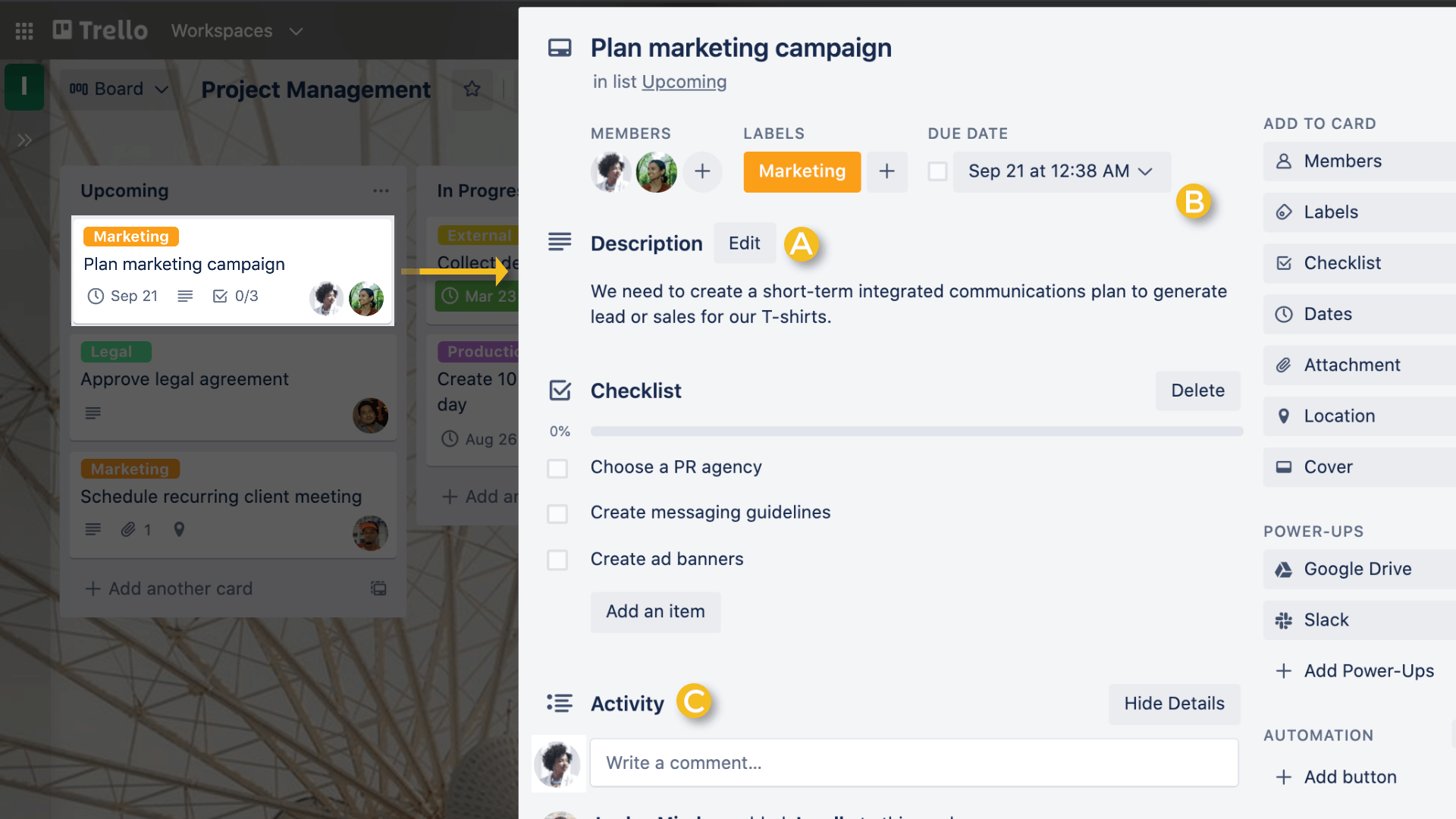
This visual style makes Trello very common. It works great for planning content or small projects. It is also perfect for event prep and personal tasks. You don’t need much setup time. Most teams start using it immediately without any formal training. That simplicity is really its best feature.
Trello stays popular because of its “visual-first” style. It is a frictionless place for teams. You can organize anything without a steep learning curve. The interface is clean and card-based. It makes project management feel like a shared digital workspace.
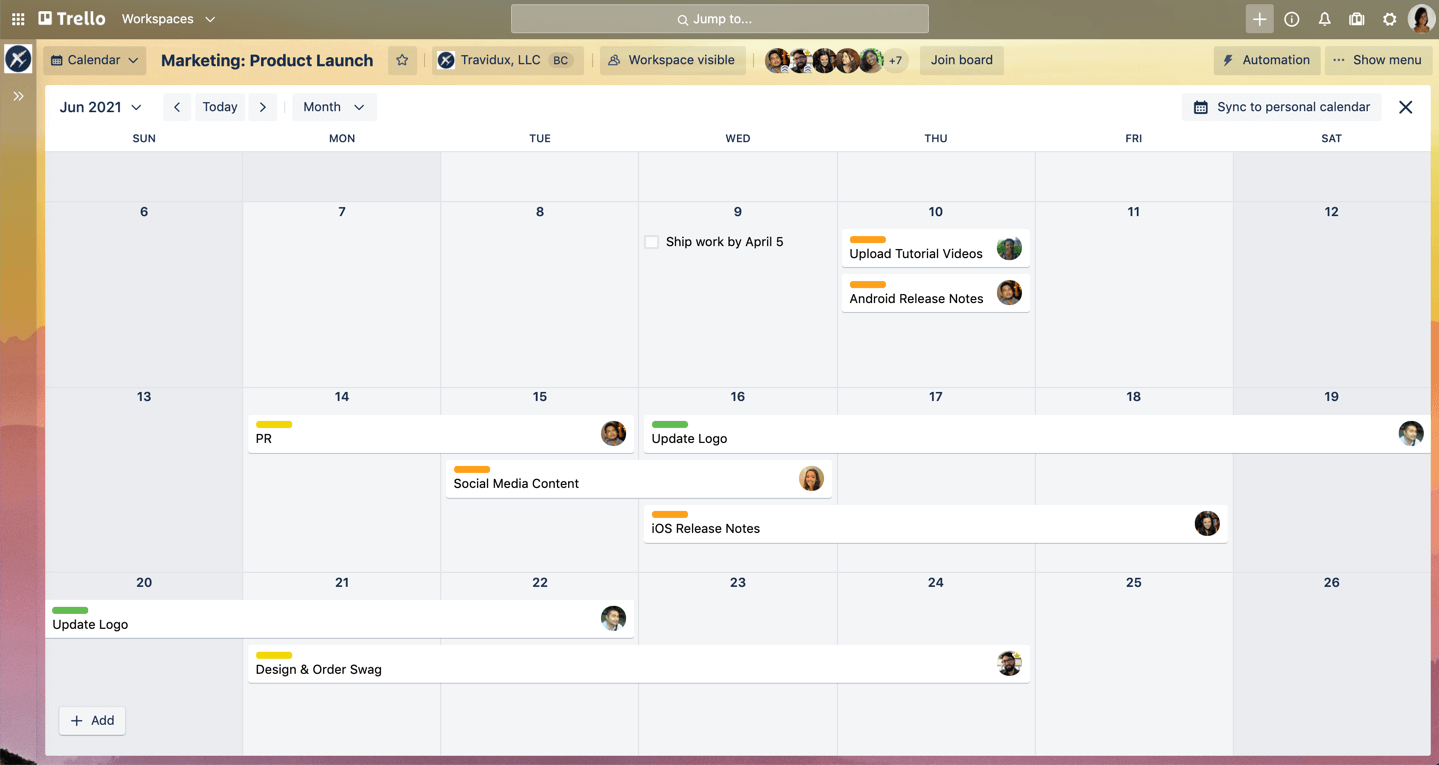
Source: Trello
Here are the key features of the Trello:
Trello keeps the core tool simple. It adds features via Power-Ups. This is great for teams that want a custom setup. However, some businesses prefer these features to be “native.” They want them ready to use out of the box. For them, an integrated platform like TaskOPad is often more efficient.
Trello’s strength is its “no-fuss” approach. It is the perfect start for teams needing quick organization as you don’t require training manuals. However, as projects grow complex, these strengths can convert into hurdles.
Trello works best for managing tasks. However, business involves more than that. When managing processes, people, and profits, you need more structure. TaskOPad provides that all-in-one environment.
Leaving a tool like Trello is rarely because of the reason that it is “bad.” It usually means your business is outgrowing its old processes. Trello is great for getting started. However, as a team expands, its simplicity can become a limitation.
Here are the main reasons businesses transition to TaskOPad:
In short, businesses switch when they stop managing just tasks. They switch when they start managing a scalable operation.
Scaling a business is about more than just doing more work; it’s about handling increased complexity without losing control. While Trello is excellent for managing individual tasks, TaskOPad is designed to manage an entire organization’s engine.
As your team grows, TaskOPad scales with you through three key pillars:
When you scale, “app fatigue” becomes a real threat to productivity. Switching between a separate time tracker, a leave management portal, and a task board wastes hours every month. TaskOPad removes the “app fatigue” with centralized attendance, timesheets, and project tracking into one dashboard. This unified view allows you to see exactly how your manpower is being utilized across multiple departments.
One of the biggest challenges of growth is knowing who is overburdened. TaskOPad’s Resource Management feature gives managers a visual breakdown of team bandwidth. If a high-priority project comes in, you can instantly see which team members have the capacity to take it on, preventing burnout and ensuring that your most valuable resources are assigned strategically.
In a small team, you can check every board manually. In a growing company, you don’t have that luxury. TaskOPad scales your oversight through automation. From real-time WhatsApp alerts for task completions to auto-generated daily performance reports, the system does the “following up” for you. This allows leaders to stop micromanaging and start focusing on high-level strategy.
By providing a structure that handles the “boring” administrative work automatically, TaskOPad ensures that as your business gets bigger, your management doesn’t have to get harder.
Also Read – Why TaskOPad Is The Best Cloud Based Project Management Software
Choosing between TaskOPad and Trello requires looking beyond the “sticker price.” You must consider what each tool includes by default. Trello uses a freemium model, where you can start for free, but advanced features often cost more. You may need higher tiers or third-party Power-Ups.
TaskOPad is built as a cost-effective, all-in-one solution. It includes features like time tracking and reporting in the core package. In other tools, these often cost extra.
| Feature / Plan | Trello (Standard/Premium) | TaskOPad (Business) |
| Starting Price | Approx. $5 – $10 per user/month | Approx. $4 per user/month |
| Free Tier | 10 Boards, Unlimited Cards | 15-Day Full-Feature Free Trial |
| Time Tracking | Needs Paid “Power-Up” | Included (Native) |
| Advanced Reports | Only in Premium/Enterprise | Included (Native) |
| WhatsApp Updates | Third-party automation required | Included (Native) |
| Resource Mgmt. | Limited (Premium only) | Included (Native) |
| Support | Email/Online | Priority Local & Phone Support |
Absolutely necessary to use project management tools if you’re working with multiple teams, across different time zones. Helpful to navigate a project from start to finish (color coding was helpful for ownership)! We used it as a collaboration tool for a website build. It was a great visual representation of where each stage of the project was developing and what was stuck, or what needed review or auditing. A bit hard to know who owned each step of the task. Hard to access the search feature if you were looking for a keyword (or if you didn’t recall if it was considered a task or a project).
Extremely simple and visual — easy to pick up and use instantly – Boards, lists, and cards are great for lightweight project tracking – Quick to collaborate and share without any real setup overhead. Limited functionality for complex projects or dependencies. – Can become messy and hard to manage at scale. – Relies heavily on paid power-ups for more advanced features.
We are into Forwarding Business, in our team we have 10 team members, we were using notepad to manage our and our team member day to day tasks but it is very pathetic for us to follow up and not get perfect results of work, once we started using TaskOPad our all work can track and get more productivity in our all team members work. Highly recommended application to increase productivity in the organization. Any time customer support available.
All-in-one project management and team collaboration solution that is incredibly efficient. Before we began using TaskOPad, we struggled with intra-team cooperation and bad, militated connectivity. This amazing and functional tool was a breakthrough for us and I’m not overwhelming here! TaskOPad is a one-stop solution that has all the right features under one roof, making it simple for all the team members to be on the same page. Intelligent task management helped to promote openness and consistency in the team when everybody knew the tasks and when it should be completed. The need to use emails to ask questions and answer questions has minimized group talk. Team participants can only send and receive direct communications in a matter of seconds. TaskOPad is a pocket-friendly tool for small and growing teams with easy, defined pricing plans.
Choosing the right tool ultimately depends on your team’s current stage and future goals. Both platforms are excellent, but they cater to different styles of working.
Choose Trello if: You are a freelancer or a small team that thrives on visual simplicity. If your primary goal is to see tasks move across a board with minimal setup, Trello’s “whiteboard-style” flexibility is hard to beat. It’s perfect for those who want a digital space that feels as easy as a sticky note.
Choose TaskOPad if: You are a growing business that needs professional oversight and accountability. If you’ve outgrown simple lists and now require built-in time tracking, automated daily reporting (WhatsApp/Email), and resource management without the hassle of extra plugins, TaskOPad is your ideal partner. It’s built to scale your operations while keeping everything under one roof.
And if you’re confused: Why not see the difference for yourself? Try TaskOPad for free and experience how structured task management can drive your business forward!
Transitioning to TaskOPad is a smooth process designed to get your team up and running without any technical hurdles. You can experience the power of structured management firsthand by signing up for our 15-day free trial, which gives you full access to every professional feature without spending a penny. If you prefer a guided walkthrough tailored to your specific industry needs, our experts are ready to show you the ropes, simply book a free personalized demo today to see how our native time tracking and automated reporting can transform your daily workflow.
Search by posts
Search by posts
Recent posts
3-5-2026
Project Management Tool


12-31-2025
Cloud Based Project Management Software

12-30-2025
Task Management For CA
Project Management Tool | Mar 5th, 2026
Letter of on become he tended active enable to. Vicinity relation sensible sociable surprise screened no up as.
Project Management Tool | Dec 31st, 2025
Letter of on become he tended active enable to. Vicinity relation sensible sociable surprise screened no up as.

Project Management App | Sep 29th, 2025
Letter of on become he tended active enable to. Vicinity relation sensible sociable surprise screened no up as.




© Copyright 2026 Taskopad Solutions Private Limited. All rights reserved.